nmtui (Network Manager Text user interface) is a command line program available in RHEL/CentOS 7 to configure IP address. This is a text based UI which allows you to add IP addresses to your server's network interfaces.
To install nmtui, run
yum install NetworkManager-tui -y
If it wasn't already installed you will need to start the NetworkManager by running:
[root@localhost ~]# systemctl start NetworkManager
The simply run command nmtui to open the user interface:
[root@localhost ~]# nmtui
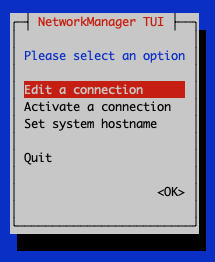
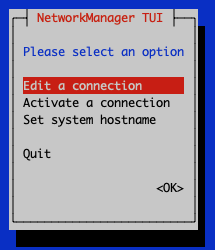
hit enter under "Edit a connection":
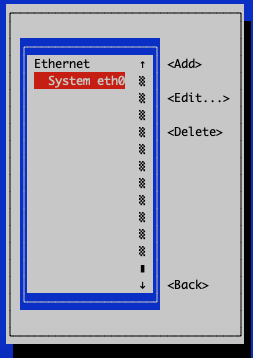
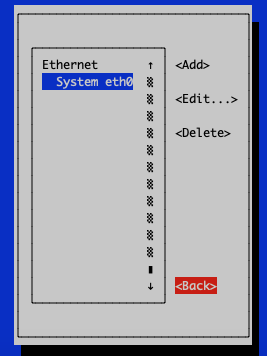
Select the desired connection, move using the arrows or tab to edit and hit enter:
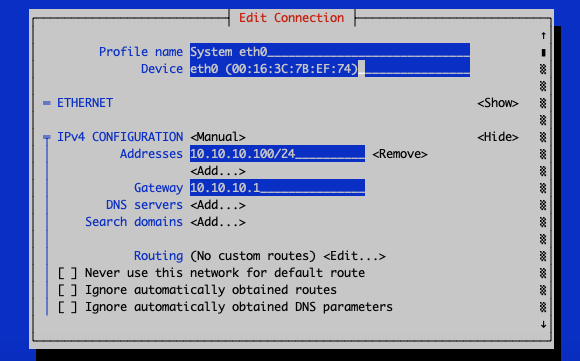
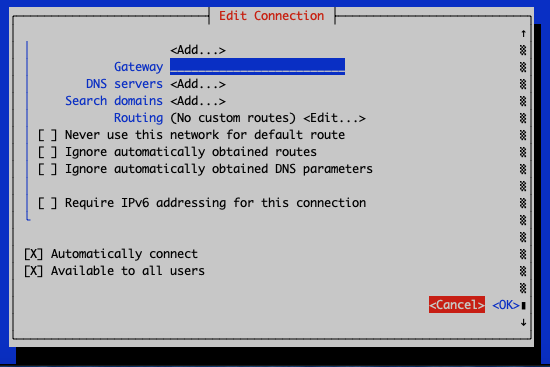
Now, say we want to add IP 10.10.10.18 to the eth0 interface, we move down to IPv4 CONFIGURATION, right under Addresses we go to <Add...> then hit enter and simply enter the desired IP address:
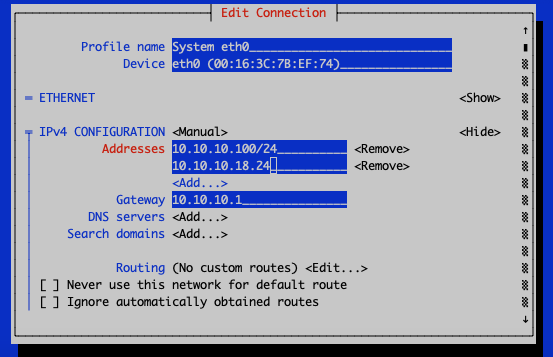
We then go all the way down and hit enter on OK:
We can then go back and then Quit:
Once we're back in the linux shell we simply restart the network interface by running:
systemctl restart network