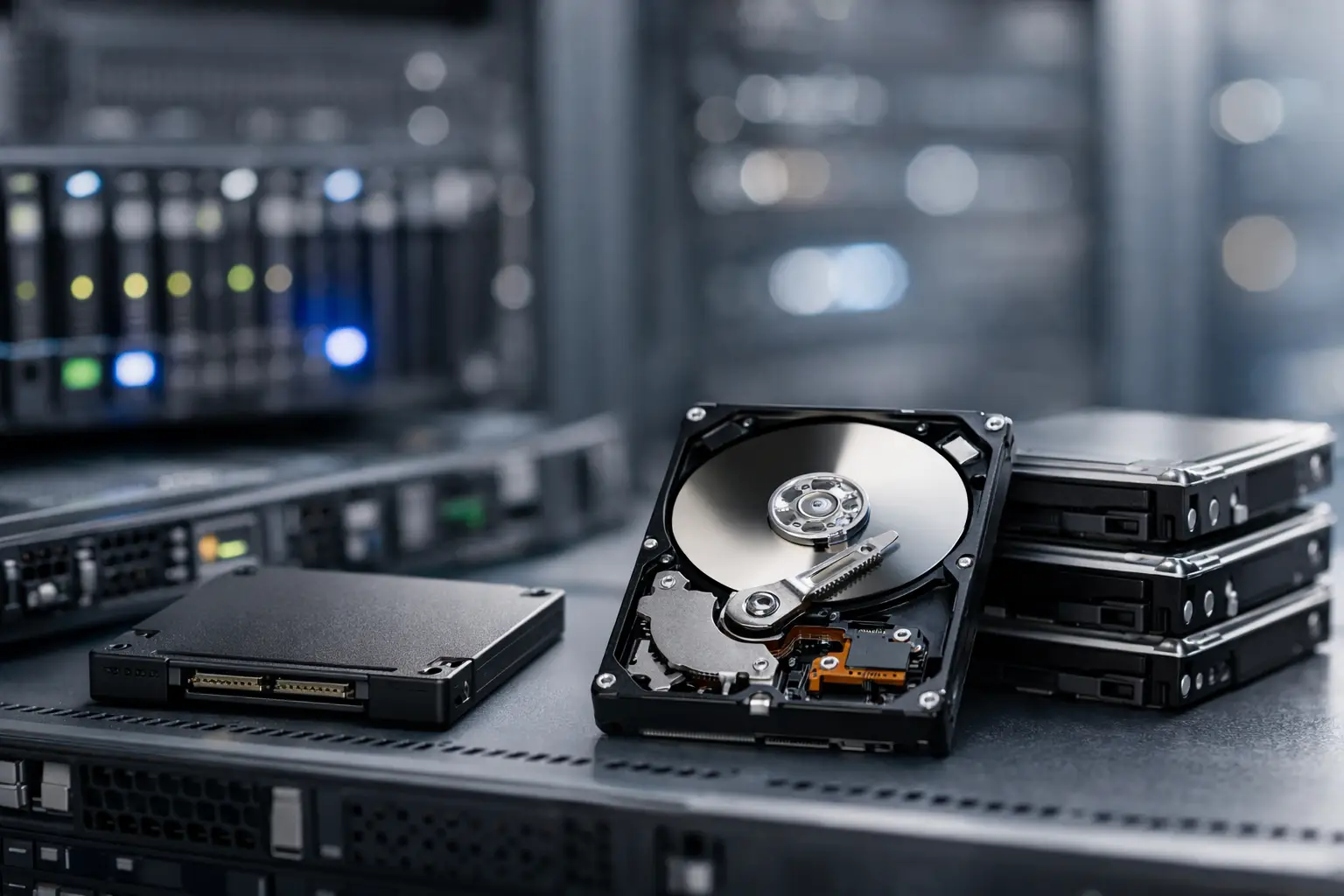
A slow storage layer can make a well-sized server feel undersized. Pages wait on database queries, backups run into maintenance windows, and application deployments take longer than they should. The practical question behind SSD hosting versus HDD hosting is not which drive is newer. It is which storage type fits the workload, budget, and recovery requirements of your site or application.
For most active websites, virtual servers, and databases, SSD storage is the better operational choice. HDD storage still has a clear role where large capacity and lower cost per terabyte matter more than rapid response times. Choosing correctly means looking past a simple storage-size number on a hosting plan.
SSD Hosting Versus HDD Hosting: The Core Difference
An HDD, or hard disk drive, stores data on spinning magnetic platters. A mechanical arm reads and writes data as the platters rotate. This technology is mature, widely available, and economical for high-capacity storage. Its limitation is physical movement. Every request that requires the drive to seek data introduces delay.
An SSD, or solid-state drive, stores data on flash memory with no moving parts. It can access many small files and database records far faster than a mechanical disk. In hosting, that matters because web applications rarely read one large file in a straight line. They make thousands of small, often random requests for PHP files, images, cache data, log entries, and database tables.
The practical result is lower storage latency and much higher input/output operations per second, commonly called IOPS. An SSD-backed plan will not automatically fix poor application code, an overloaded CPU, or insufficient memory. It does remove a common bottleneck that becomes visible when traffic, database activity, or concurrent users increase.
Why SSD Storage Usually Improves Hosting Performance
Website visitors experience infrastructure as response time, not as a drive specification. When a CMS loads a page, the server may need to retrieve application files, query a database, write a session record, and generate cached content. Storage latency can affect each step.
This is especially relevant for WordPress, WooCommerce, Magento, Laravel, Node.js applications, and other database-driven platforms. A basic brochure site with a few static pages may see a modest difference. An online store processing orders, a membership site tracking sessions, or a SaaS application serving many small database queries can see a much more meaningful improvement.
SSD hosting also helps routine server work stay out of the way. Control panel actions, plugin updates, malware scans, backups, log rotation, and file extraction all create disk activity. Faster storage reduces the chance that these background jobs compete heavily with visitor traffic.
On a KVM VPS, storage performance is particularly important because the virtual server runs its own operating system and services. Developers may use the same disk for the OS, application code, package updates, databases, temporary files, and logs. SSD storage provides a more responsive baseline for Linux and Windows VPS workloads without requiring a move to a more expensive dedicated server.
SATA SSD and NVMe SSD Are Not the Same
Not every SSD platform performs identically. SATA SSDs are a significant step up from HDDs and remain suitable for many shared hosting and VPS deployments. NVMe SSDs use a faster interface designed for lower latency and higher parallel throughput, making them well suited to demanding databases, busy application servers, and data-intensive development environments.
That distinction should not lead buyers to ignore the rest of the plan. CPU allocation, RAM, network capacity, virtualization configuration, and resource limits can matter just as much. A properly sized SSD VPS is usually more useful than an NVMe plan with too little memory for the database it needs to run.
Where HDD Hosting Still Makes Sense
HDD hosting is not obsolete. It remains a cost-effective option for workloads that need substantial storage but do not need frequent low-latency reads and writes. Large archives, retained backup sets, media libraries, old project files, and internal file repositories are common examples.
A business may also use HDD-based storage as a secondary destination for backups while keeping production websites and databases on SSD infrastructure. This separates the performance needs of the live service from the capacity needs of retained copies. It can be a sensible design when backup history must be kept for months and storage consumption would make all-flash retention unnecessarily expensive.
HDDs are less attractive as the primary storage layer for a busy dynamic site. Mechanical drives can struggle when many users, processes, or virtual machines request small files at once. A large 4 TB HDD allocation does not compensate for slow random I/O if the application only needs 80 GB of active storage but processes frequent database transactions.
Capacity, Cost, and the Real Price of Storage
The lowest monthly price is not always the lowest operating cost. HDD plans can offer more disk space for the money, which is valuable when capacity is the main requirement. But a slower site can cost time in other ways: longer administrative tasks, more difficult troubleshooting, weaker checkout performance, and an earlier need to upgrade compute resources to compensate for an I/O bottleneck.
SSD storage generally costs more per gigabyte, so plan sizing matters. Before selecting a server, measure the current use of website files, databases, email, logs, backups, and growth. Many customers overestimate the storage needed for production while underestimating the impact of active database and application data.
For example, a 20 GB WordPress site with a 2 GB database and regular traffic is typically better served by a modest SSD allocation than a much larger HDD plan. Conversely, a design agency retaining several terabytes of client video exports may need inexpensive bulk storage in addition to SSD-powered hosting for the websites it manages.
Match Storage to the Hosting Product
Shared hosting users generally benefit from SSD storage because common platforms such as WordPress and cPanel account management involve frequent small-file activity. The technical management remains simple: deploy an application, enable SSL, manage email and files through cPanel, and let the provider maintain the underlying platform.
Reseller hosting has similar needs. Agencies and hosting resellers need consistent performance across multiple customer accounts, especially when those accounts use CMS platforms, email, and control-panel tools. Faster storage helps keep ordinary account tasks responsive as the reseller portfolio grows.
For VPS customers, storage is one part of a capacity plan. Start by identifying the application type, expected concurrent users, database size, memory requirements, and preferred server location. A developer running a staging environment has different needs from a production API service or Windows business application. SSD-backed KVM VPS plans are commonly the right starting point because they balance price, isolation, and responsive storage.
Dedicated servers are appropriate when the workload requires predictable access to all assigned resources, large database activity, high transaction volume, specialized software, or substantial storage. Even then, the best configuration may be mixed. SSD or NVMe drives can support the operating system, database, and active application data, while higher-capacity HDDs can hold backup archives or less frequently accessed files.
Storage Is Only One Part of Availability
Fast disks do not replace backups, monitoring, or security controls. SSDs can fail, files can be deleted, databases can become corrupted, and compromised credentials can affect a server regardless of drive type. Keep recoverable backups separate from the production environment and verify that restoration works before an emergency makes it necessary.
Location also affects the user experience. Storage speed improves how quickly a server processes requests, while data center proximity affects network latency between the visitor and the server. A US business serving customers on the East Coast may benefit from a New York City or Miami deployment, while European users may be better served from London or Amsterdam. The right location and the right storage complement each other.
Owned-Networks customers can use that product ladder to start with SSD-based shared hosting or a KVM VPS, then move toward reseller or dedicated infrastructure as application requirements become more demanding. The goal is not to buy the largest server first. It is to choose a platform with room to grow without paying for unused capacity.
A Practical Decision for Your Next Plan
Choose SSD hosting when your website is dynamic, your application uses a database, administrators need responsive control-panel access, or visitors depend on quick page generation. This is the default choice for most current business sites, ecommerce stores, web applications, and development environments.
Choose HDD storage when the main requirement is affordable high-volume retention and performance is secondary. It is often strongest as archive or backup storage rather than as the primary disk for an active customer-facing application.
Before you compare plans, check how much data is active versus archival, how much RAM the application consumes, where your users are located, and whether your backups are independent of the live server. That short review will lead to a more useful hosting decision than comparing drive capacity alone.